Viewing all your nights
See every night with its metrics, events, markers and note in one list.
Updated 2026-10-22
The Nights tab lists every night you have recorded, newest first. Each card shows the date, length, average and lowest SpO₂, ODI 3%, event tags, time markers and the full note.
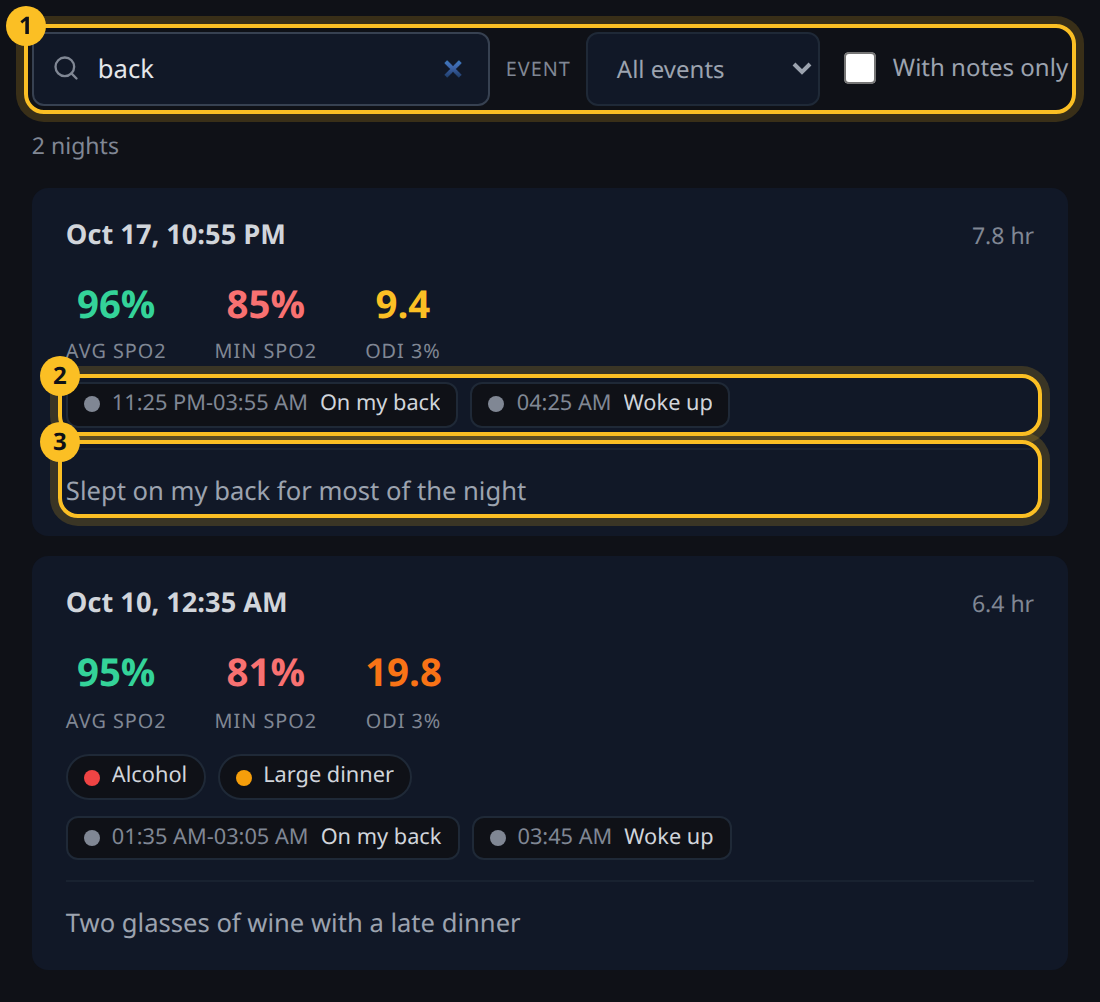
- Search and filters - narrow the list by text, event or nights with notes.
- Markers - the night's time markers, with their times.
- Note - the night's full note.
Find a night
Use the search box and filters at the top (1).
- Search matches note text, event names, marker labels and dates.
- Event shows only nights tagged with one event.
- With notes only hides nights without a note.
The count above the list shows how many nights match.
Open a night
Click a card, or its date, to open that night in Sessions with its chart, markers and note. You can select and copy note text on a card without opening it.
To add or change notes and markers, see notes and time markers.