Comparing sessions
Put up to five nights side by side to spot what changed.
Updated 2026-06-28
Comparison mode lines up multiple nights so you can see differences at a glance. It is useful for before/after experiments.
Select nights to compare
- Use the checkbox on each session card to add it to the comparison (up to five).
- The view switches to stacked, time-aligned SpO₂/HR panels, one per night.
- A metrics table puts every figure side by side.
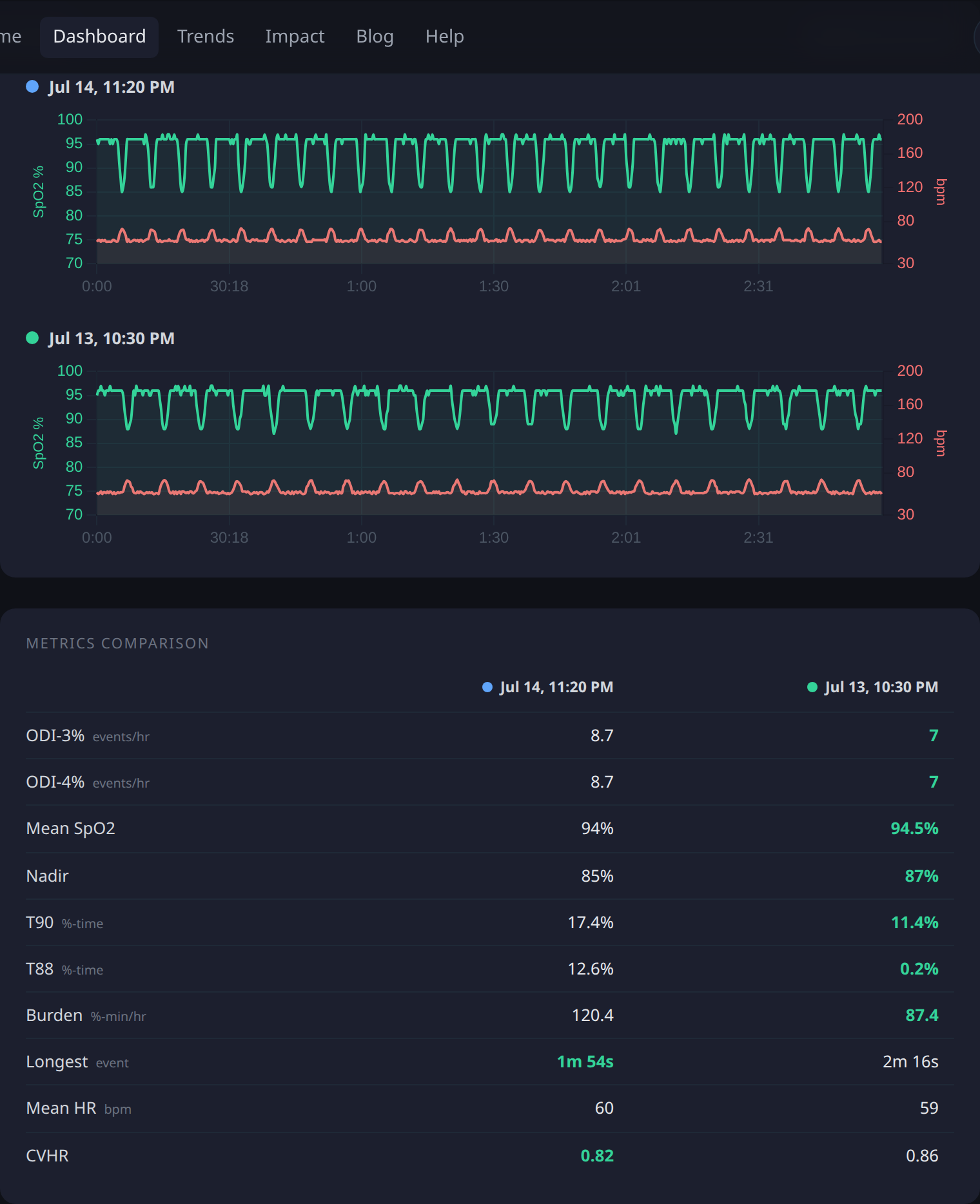
Compare a handful of "good" nights against "bad" ones, then check the event tags they share to form a theory about the cause.